# Exportar Movimientos
# ¿Cómo exportar los movimientos contables?
Con esta opción podrá exportar la información contable desde Arrendasoft hacia otros softwares contables como Contai, Contapyme y world office .Aquí le mostramos como hacerlo:
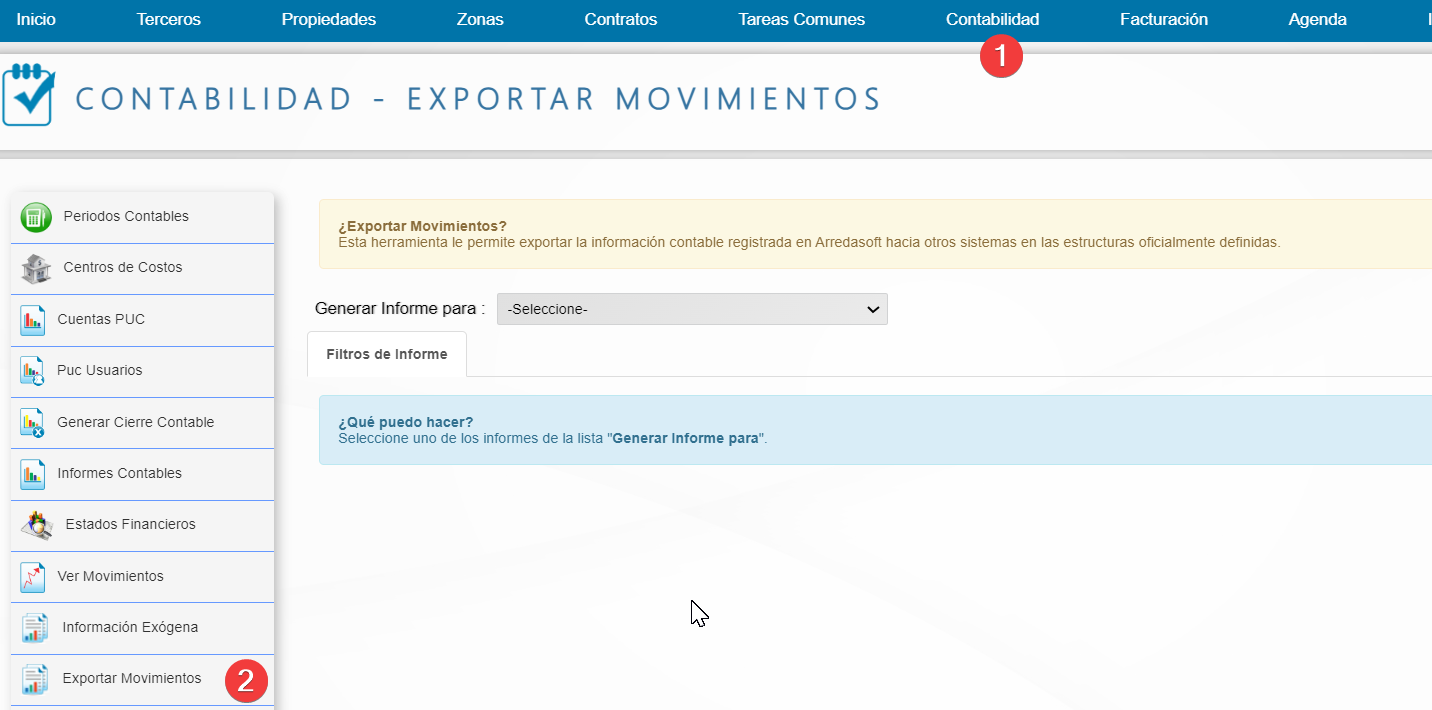
**Paso 1:** Desde el menú horizontal ubicado en la parte superior del sistema, ingrese a la opción 'Contabilidad' y seleccione 'Exportar movimientos' ubicada en el lado izquierdo.
**Paso 2:** Seleccione el periodo y el sistema al cual va a exportar la información.
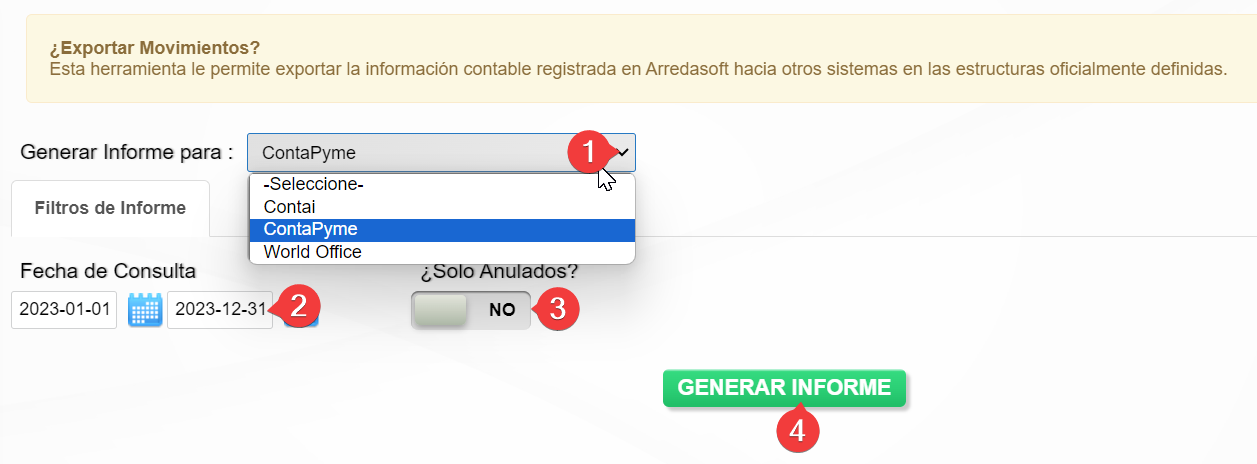
1. Generar informe para: Seleccione el software al cual va a exportar la información.
2. Fecha de consulta: Seleccione la fecha inicio y fecha fin del cual desea generar la información
3. Solo anulados: Seleccione si desea generar el archivo solo con documentos anulados.
4. Generar Informe: Para finalizar de clic a este botón y el sistema descargara un archivo txt con la información.